
Sometimes you are required to setup SIP Registration in order to communicate with the remote party. This is a security method to ensure communication is accepted between the two devices, while traffic from other devices is rejected.
---------------------------------------------------------------------------------------
Requirements:
IP Group for Softphones(Skype, Teams, etc) - made by SBC admin.
IP Group for PSTN Provider - made by SBC admin.
SIP Account User Name and Password - provided by PSTN Provider, requiring registration.
---------------------------------------------------------------------------------------
Steps:
Go to: AudioCodes -> Signaling and Media ->SIP Definition -> Accounts
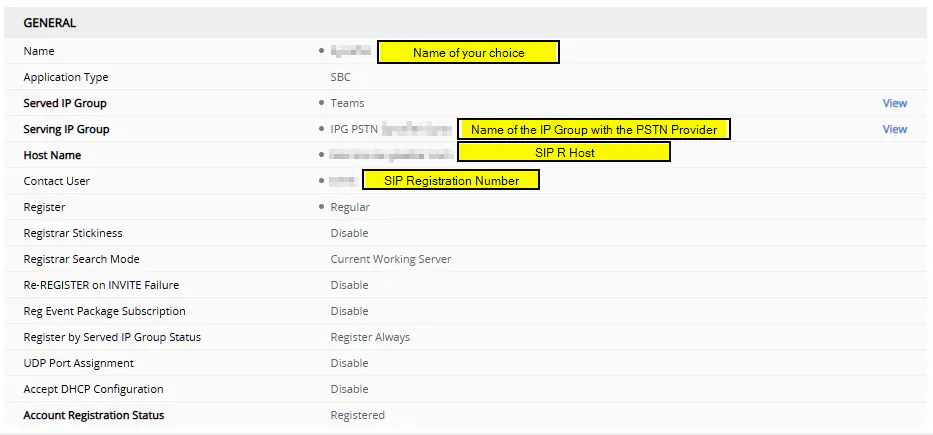
Create new account. The important fields are:
Name: Your choice.
Served IP Group - IP Group that will send calls to PSTN Provider
Serving IP Group - IP Group of the PSTN Provider you want to register to.
Hostname[SIP R Host] - Hostname or IP address of the registrar - you will send requests to this.
Contact User[SIP Registration Number] - Used in the UserName portion in FROM, TO and Contact Headers-Instead of creating 3 separate Outbound message manipulations, that are described below.
User Name[SIP R User Name] - This is the Authentication string/user name to be used for Registration
Password[SIP R Password]- This is the password to be used in combination with the User Name for Registration
Set Register to Yes and save.

-----
According to RFC3261:
Request URI shall include only Hostname
TO Header shall include UserName@HostName
FROM Header is usually the same as TO Header
-----
With AudioCodes you can create Outbound Message Manipulation Set and assign it to the Serving IP Group. They need to add SIP Registration Number in the From and To headers.
SIP Registration Number is the same as User Name in the below example.
-----
Name: Set Header-> FROM: <User Name@Remote IP>
Message Type: Register
Action Subject: Header.From.URL.User
Action Type: Modify
Action Value: 'SIP Registration Number'
-----
Name: Set Header-> TO: <User Name@Remote IP>
Message Type: Register
Action Subject: Header.To.URL.User
Action Type: Modify
Action Value: 'SIP Registration Number'
---------------------------------------------------------------------------------------
Verification and Example:
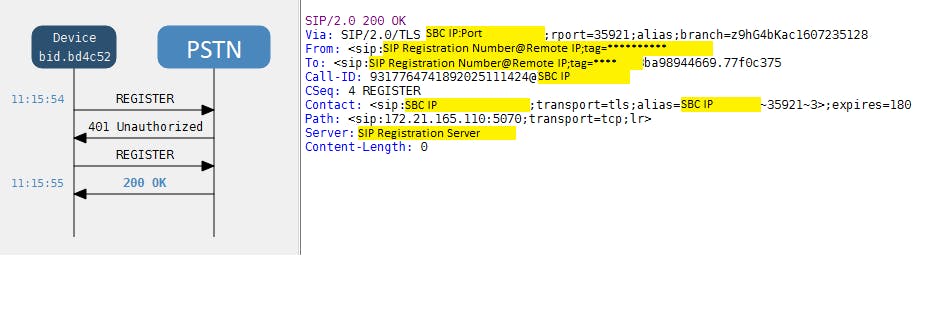
Check the SBC Syslogs if registration is successful.
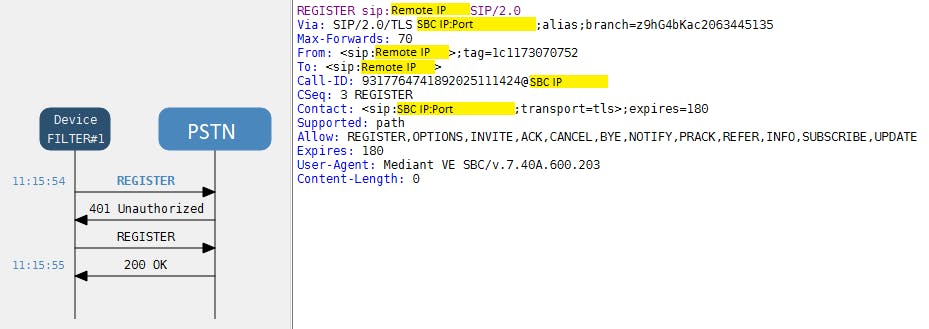
Here is an example of syslog and SIP Flow:
Initial Register Request:
-----
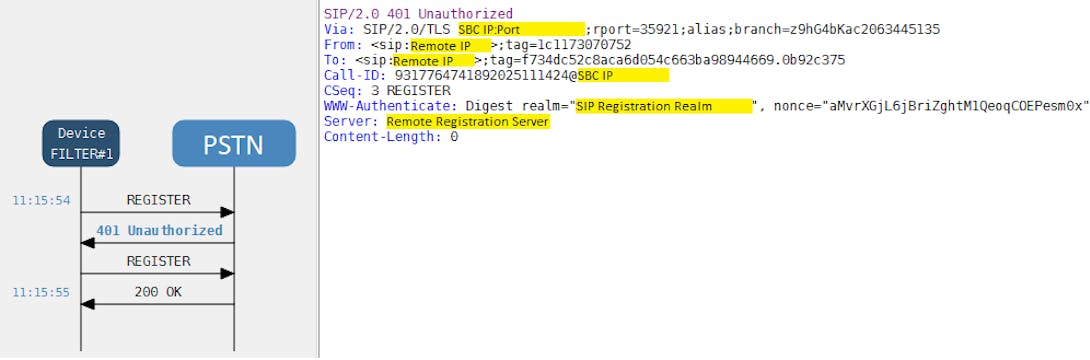
First response, providing info for the next request
-----
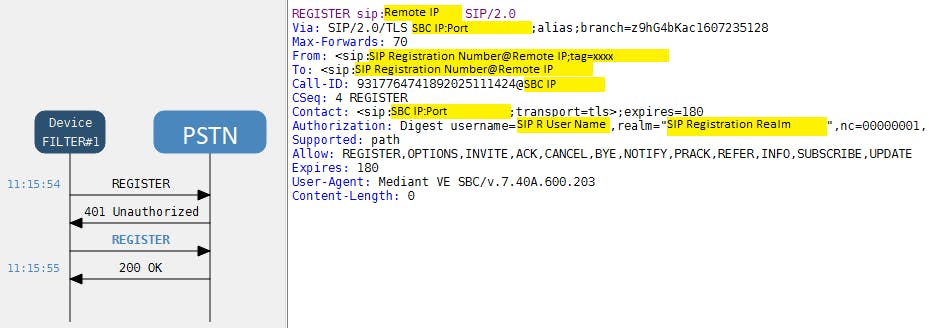
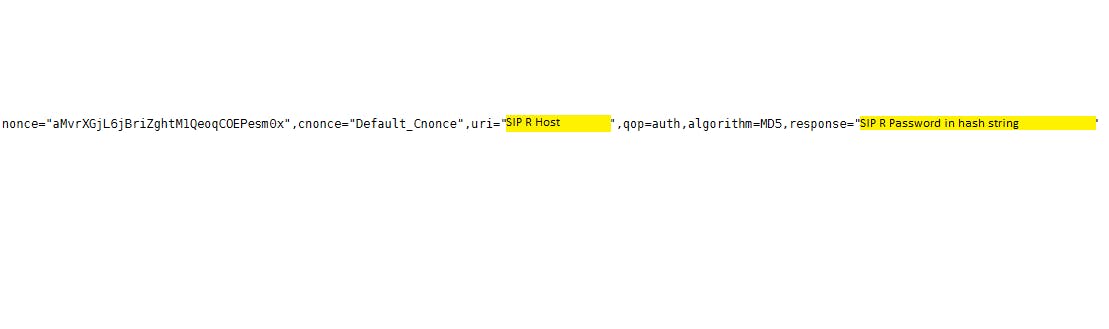
Second Register - providing requested User Name
-----
and password in hashed form
-----
200 OK - Successful Registration
---------------------------------------------------------------------------------------
References: